Look After Your Investment! Taking the Best Care of Your Smartphone

Mobile phones are often among our most valuable possessions, and also contain a lot of important information and offer facilities we need to use on an almost constant basis. However, a lot of people start to take their smartphones for granted, and get a bit casual when it comes to looking after them.

The better care you take of your phone, the longer it will stay looking smart and attractive, and the less chance there is it’ll get broken or damaged. You can also make sure your battery stays in good health, meaning your phone will keep a charge for a decent amount of time for as long as you want to keep using it.

Everyone knows to keep their phone protected from scratches and dirt with a good case, but here are some more unusual suggestions on how you can better look after your mobile:

Keep It Dry

It might sound weird, but the people who take the best care of their phones avoid using them outside in the rain, or anywhere near open water (for example on a boat or on the beach). Water getting into the workings of your phone can ruin it irreparably. When you are carrying it, you should also make sure it is protected from rain – keep it in a sealed pocket or sealed part of your bag where water isn’t going to pour in as you walk.

Don’t Let Your Friends Paw It!

Letting other people use your phone if they actually need to is one thing, but if your friends tend to want to examine your phone or just “play with it” then say no if you can without causing offence! People who are unfamiliar with the workings of a specific phone are far more likely to do something wrong to it, and if you’re out having fun, there’s always a risk they’ll drop it.

Keep It in the Same Place When Not in Use

If you always keep your phone in the same place when you’re sleeping, showering, or doing those other few things you do each day without it, then you won’t end up scrambling around looking for it in a rush or risk it getting stepped on or squashed under a sofa cushion. Choose somewhere high up but where it won’t fall, like a bedside table, or keep it where you keep your keys or other important stuff. Choose somewhere close to a power point so you can charge it.

Insure It!

Make sure your phone is included on your home insurance policy (and that this cover is sufficient and includes cover for when you’re not at home), or that you have insurance from your mobile phone manufacturer, or your network, or from a specialised supplier like Protect Your Bubble Mobile Insurance (which can be the best option if you also want to cover other gadgets you take out with you like your tablet, camera and laptop).  Insuring your phone means that if anything does happen, you can get a replacement and fast!

Laura Ginn is a consumer interest blogger who likes helping people get the most out of their gadgets and technology. She believes the best value comes from not only choosing the best devices, but from also taking the best care of them.

Uses For Iphones You Wouldn’t Have Thought Could Be Done

Most people buy iPhones to talk, text and surf the Internet. However, there are a number of other things that the iphone can do. Below are some of the many cool things that iPhones can do:

Monitor Your Heart Rate

There is an app that you can download on your iPhone called the Heart Fitness app. After you have downloaded the app, you will need to cover the camera and light of your iPhone with your index finger. The hue pulses as the blood flows through your finger. It is accurate, but there are ways that you can “trick” the app. You can even get readings from ordinary items, such as ketchup bottles.

uses for i phones

Scan Documents

IPhones can take pictures, but many people do not know that they can actually scan documents with their iPhone. You just have to use an app on your iPhone called the genius scan. This app allows you to take a snapshot of any documents. The documents can be saved as PDF or JPG files.

Measure Just About Anything

You may not ever need to use your ruler again after you have downloaded the measure anything, or AIM@ app. One of the many neat things about this app is that it can tell you your height just by measuring the length of your arm. However, it is important to note that using this app can be tricky, so you have to be very good at following directions in order to get it to work.

Take 3-D Photos

You may not believe it, but you really can take 3-D photos with your iPhone. It really is not that difficult, either. All you will need to do is take one photo, move over a couple of inches and then snap another picture. After that, you will need to combine the two images to create a 3-D illusion.

Keep Track Of Someone

It is very easy for you to keep track of someone thanks to modern GPS technology. You will need to download an app called Find My iPhone. This app allows you to keep track the location of another IOS device by using an iPhone, web browser or even an iPad. This can come in very handy if you want to spy on your spouse or child. The only bad thing about this app is that it can be kind of tricky to set up, but fortunately, it will be a lot easier if you follow the step by step tutorial.

Your iPhone is a pretty amazing device. You can make sure you iPhone stay looking new and shiny by protecting it with various design of iPhone5 and iPhone4 covers.

Kim is a marketing consultant for a national retail chain that sells smart phones and computers.

Hassle-Free Video Conferencing through Asus

Video conferencing allows people from different places to connect and communicate through simultaneous video and audio transmissions that work both ways. It is differentiated from videophone calls because the emphasis is on connecting locations rather than specific individuals. In today’s world, is it possible to have hassle-free video conferencing through an Asus computer?

Image: www.flickr.com

Benefits of Video Conferencing

Video Conferencing presents various benefits in personal communication, studying, and doing business. One main advantage that video conferencing provides is the decreased need to travel to accomplish something. It saves time and resources, not to mention the tremendous push for the green cause with the drastic reduction of the consequences brought upon by people’s need to travel frequently.

It is the closest thing to face-to-face interaction when such option is not available. Most businesses will have to do their presentation, marketing, and negotiation through video conferencing if traveling to a client’s location will just be an effort too late. Being able to communicate with colleagues and the head office is especially important for employees in mobile locations. Video conferencing, like with webinars makes it possible to cultivate profitable business relationships without the need to leave the workplace. Information regarding webinars can be seen at www.bestwebinar.com.

Equipment Needed for Video Conferencing

There are actually two basic kinds of systems that can be used for video conferencing. One is the dedicated system which is essentially an all-in-one equipment. Its size can range from portable devices suitable for individual video conferencing to large-sized equipment for video conferencing that involves a big number of participants.

The other kind of system that can be used is the desktop system with add-ons. This practically converts PCs into video conferencing devices. There will be a need to add cameras and microphones to facilitate smooth video conferencing. Aside from the equipment that will be used, it is of primary importance to have access to high speed Internet connectivity.

Video Conferencing Using Asus

Many Asus laptop and notebook models have built in webcam and video capabilities. This means that video chat application is ready without the need for configuration. Asus also has other products friendly to video conferencing such as its computer monitor that comes with video conferencing functionality. This can be used without complicated connections and procedures.

Video conferencing is very much advantageous especially if it can be done without lag, distortion, or interruption. Like Asus, all other computer manufacturers are hard put in developing equipment that can be used without much hassle. For people who have many other concerns to attend to, hassle-free video conferencing is highly appreciated.


Why radio as a medium will never die!

While it is certainly true that TV provides an excellent way to take in a lot of new and exciting information, the radio is still a very popular way for society to discover the best of the entertainment and news worlds. There has always been a fairly major downside to radio, though, and that is the fact that it is not available everywhere in the way that TV is. For instance, if you move from the US to the UK, you were- at one time- no longer able to tune in and listen to your favourite radio shows anymore. Thanks to the invention and development of digital radio, though, that is no longer the case. 

The internet has provided the radio world with a tool that allows them to broaden their market across the entire world. If you grew up in London but you have to move to Chicago for work, you don’t have to worry about missing out on the show that always entertained you while you were sitting at your desk. Your Chicago office will feel a little more like home thanks to digital radio and the ability that you possess to listen to your favourite shows no matter where you are.In order to get the most out of digital radio, you are going to want to have a good sound system. Since digital radio is broadcast over the internet, it sounds much better than traditional radio ever did, so you are going to want to take advantage of that. You obviously cannot set up an elaborate surround sound speaker system in your office, so the next best thing is to get a pair of awesome Sennheiser surround sound headphones. The Sennheiser px360 are perfect for listening to the radio with, as they pick up all the nuances of the music and other sounds that you hear.

So while many people think that radios are dead, nothing could be farther from the truth. With an internet connection and a good pair of headphones, the radio is yours to enjoy once more. One can only imagine what improvements will continue to be made in the future. Click here to check out a full range of radios that are available to buy in the UK, from DAB radios to more conventional types. Open your ears and broaden your horizons with everything from music to radio shows, podcasts and everything in between.

Ensuring Security for Laptop-Established VPN Connection

Many companies of today maintain employees who are continuously on the go in relation to work site. However, the need for the main office to remain connected with them and vice versa is crucial. There is actually no big problem with the wide availability of portable gadgets and equipment like laptop as well as Internet connectivity.  The main issue is ensuring security of data that is sent and received from all gadgets and equipment used.

Image: www.flickr.com

Ensuring Security for Laptop Use

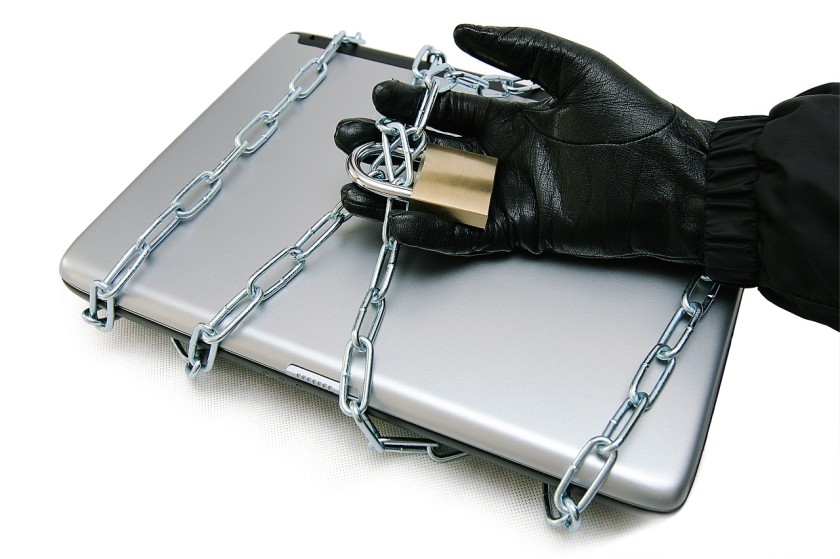
People need not go into senseless extremes by covering themselves up when working on their laptops. Aside form the fact that security risks are not exactly prevented that way, threats to the data contained in laptops exist even without any visible physical risk. Of course, protecting the laptop from physical loss is always a primary concern not only because of the cost of the equipment but more so because of the higher cost of having its contents find their way into the wrong hands. It has to be noted though that the important data can still be obtained even without physically taking the laptop.

Employees who are working in remote locations need to have a safe and reliable way of connecting to their organization’s network. The Virtual Private Network (VPN) Technology is one way of doing this. Through the use of the VPN, anyone who tries to intercept the data will not be able to read it because it is encrypted.

Installing VPN in Laptops

VPN in laptops can be installed through a software. However, there is a need to consider compatibility with the Operating System and the equipment itself. Thus, some software can be used for Windows but not for Mac for example. It is also highly possible that software  easily accepted by a Mac will not be readily acceptable to an Asus laptop. Depending on the equipment, initial difficulty may be addressed by proper configuration.

Once VPN is installed, the employee can now communicate with the other remote members in the network. It comes wherever the employee goes as long as he holds the laptop where it was installed. Aside from secure and reliable communication, other remote members can easily be added to the network.

With the observance of the standard guidelines on ensuring physical safety of laptops plus the advantage of anti-virus and personal firewall software, remote users can expect to enjoy worry-free data exchange with their organization. VPN makes that possible especially when it is placed in the location where it can offer the best protection. The locations to consider are before, inside or after the firewall. To know more about VPN service, visit www.bestvpn.com for comprehensive and useful reviews.


Desktops and Laptops – Do They Have the Same Cloud Backup Solution?

Image: Mulad’s photostream

Desktops and laptops both require a backup solution like Cloud.  These are both computers although the nature of their respective use may vary. The question is do desktops and laptops have the same cloud backup solution?

The Cloud Backup Solution

Cloud offers off-site data protection. It is able to protect servers, desktops, laptops, and mobile devices.  It is considered a highly optimized solution that is both secure and convenient.  Data are de-duplicated, compressed and encrypted before they are sent to the cloud.

The Cloud backup solution can back up the files of small and medium sized businesses effortlessly.  The level of protection offered is comparable to that of big corporations. Businesses who find themselves facing the reality of data loss can have them recovered or at least the part they need to recover. This is true whether the loss was externally or internally caused. Reviews on various backup options can be viewed at www.bestbackups.com.

Is It the Same or Not?

As a general rule, different technologies may be required in backing up files on different environments. The existing environment   in a desktop permanently connected to a network  is a lot different from that of a laptop which is mobile. There lies the general answer to the question.

Cloud backups are traditionally provided to desktops  through a software. It provides benefits by allowing online backups to the cloud storage of choice, compressing data for reduced storage costs, and encrypting data for safe storage. Payment for storage space used is made directly to providers. Cloud storage providers are not created equal and users should pay attention to the space, price, and compatibility with their operating system when making a choice.

Cloud backups for laptops are done generally in the same manner.  The reality that many people have to work remotely in places other than their usual work areas has made it necessary to opt for protection of laptops in the same manner as required in the desktops used at the office. It is an everyday reality in businesses that sending data cannot wait for the return of the employee from his or her field assignment.  Mostly everything has to be transmitted at once and without delay.

Essentially, the process of enabling cloud backup for desktops and laptops are the same. The difference mainly lies in the environment in which it is done.  The expected benefits however, are the same which mainly focuses on ensuring that important data will not be permanently lost when system disaster strikes.


Text Link Ads

The Ideal Computer Environment for Home Offices

download (22)

If a home business owner wishes to maximize the potentials of his business, it is necessary to have the ideal computer environment to allow for easy and uninterrupted working.  One of the major considerations involved is whether to opt for a desktop or a laptop computer.  For the purposes of maximizing business opportunities, the ideal computer environment would need at least one of both.

Desktops provide advantages in power, comfort in use, ease of upgrade, easier replacement of accessories and components, features, and over-all performance.  However, desktops cannot beat laptops in portability.  All these are needed by business owners to make them more adaptable and flexible to the demands of doing business at home or outside it.

It is a good thing that most manufacturers such as Asus carry both.  There are advantages as well in having equipment and devices that are compatible with each other.  Having only one computer may be too limiting for businesses that need to sustain consistent online presence and availability.

Having both a desktop and a laptop will allow business owners to divide their tasks and back up their files more efficiently.  They are also assured of at least one computer for use if one unexpectedly conks out.  Having no available computer for use can be very disruptive to business operation. With at least one of each, the most ideal computer environment for home offices is attained since business owners are assured of power and portability.

Desktop computers are generally considered to be more secure than laptops since they are not brought out from the usual place of work.Laptops which are carried everywhere because they are portable are by nature of use more at risk for theft and damage.  Keeping backup files in the desktop computers is a wise thing to do.

Laptop computers allow business owners to work even when away from the usual workplace.  This is something which is difficult to do using desktop computers.  Taking advantage of the strong points of each makes for an easier and smoother workflow.

Long hours of working are more suited for desktop computers as laptops have a greater tendency for overheating in extended use.  Computers are intended to make work easier but having only one to serve all the needs may not be enough considering the great demands businesses.  With the great advances being made in laptops, many have become equals with desktops in features although battery life remains a major concern.

Teresa is a researcher-writer who covers a wide range of topics in search of useful information.

Image: images.businessweek.com

Establishing Control Over Company Print Infrastructure

images (34)


Businesses do well when the proper control measures are placed in all functions.  There is no such thing as unimportant business function.  If a function is used by a business, then it must be needed, and thus important.

A company’s print infrastructure may not be readily appreciated as a critical factor in doing business.  In fact, it is given far less importance than it should get by some companies.   Taking print management for granted is one of the biggest mistakes that a company can commit.  This is especially so since problems related to it can easily be avoided by getting the specialized services of a Managed Print Services Provider.

Service providers like Printer Corp controls and manages the entire print infrastructure of their company clients.  The service provider is practically the caretaker of all printing processes of the company from actual print to workflow of documents.  Included in the responsibilities is determining the most suitable components of a company’s printing fleet, as well as equipment servicing, and replacement of consumables.

These tasks are usually assigned to Human Resources Division.  With these outsourced and ably performed by a professional Managed Print Service Provider, all personnel can concentrate on other core business strategies designed to achieve added productivity and considerable savings in company costs.

It is necessary to institute control over company print infrastructure because failure in one business area is sufficient to affect the over-all performance of a company.  The aspect of print and documentation has specific roles to play in company operation.  More and more client companies are opting for contract agreement that will divest them of responsibilities related to equipment and maintenance.

images (35)

Professional Managed Print Services Providers give a complete analysis of a company’s document requirements for the purpose of understanding the documentation workflow and the corresponding costs that have to be addressed to make it work.  It is the end purpose of the agreement for service provider to effectively manage company processes related to printing, documentation, and workflow.  In return, companies can expect to reduce printing costs while increasing productivity as a result of improved workflow.

Once proper control is in place, business workflow becomes a lot smoother.  A company’s print infrastructure involves all departments and divisions connected to a company.  It is never to be taken for granted and never be put into the hands of companies who are less than competent.


Image: diabetesmine.com

livemomwork.com

Laptop’s Expected Lifespan

The price of desktops and laptops have admittedly went down since the first issues and models.  This does not come without apprehensions even if lowered price is definitely good news.  The concerns are centered on whether lowered price comes at the cost of shortened lifespan.

It would appear that no matter how high or low laptop price becomes, it will still have a certain lifespan as a productive equipment.  Like any other electronic appliances and devices , its life is not forever.  So how long is that lifespan supposed to be?

If we are to read the various online forums that tackle this specific question, there seems to be an agreement towards the very productive use of laptops in the first two years.   The condition of the laptop after this period is anybody’s guess since the final number is really determined by the actual use.  The life of a laptop can be shortened or lengthened depending on the care provided to it by its owner.

Proper care is essentially good sense in handling an electronic gadget like a laptop.  Those who use their laptops more often should expect to get a shorter life span from their equipment than those who use theirs less. However, using them less but in an improper way can also lead to shortened laptop life.

Laptop owners will be lucky to have a laptop working efficiently after 4 to 5 years of use.  This period can be extended provided proper care is observed.  Manufacturers like Asus continue to find ways to lengthen the life of their offered products.

About the Author:

Teresa is a researcher-writer who covers a wide range of topics in search of useful information.

Laptop for Kids

Image: kidzmodo

Kids have different requirements when it comes to laptops.  Most will not confine laptop use to study purposes and would want the gaming component to be very much alive in their units.  Such desire is but a natural consequence of being young.

Laptops for kids therefore should provide for their entertainment needs through gaming as well as durability, since kids are not specifically adept on taking care of such electronic devices.  The Asus Eee offers several options for laptops for kids’ use.

The Asus Eee is essentially a choice for kids since the models provided are quite friendly to web-based activities.  The built-in software also makes it an ideal choice for use in completing required school work.  Parents might just have to choose the model that accommodates their kids’ favourite games specifically those with installed Windows XP.

An Asus Eee is seen as a highly advantageous choice for kids because it is light enough for children to carry, kids’ small hands fit perfectly for the keyboard size, high durability that allows it to withstand bumps and knocks which cannot be eliminated among children, and the relatively cheap price compared to competitors.  The attractive choice of colors also has a special appeal on children.

There are some limitations though with this choice including the limited storage space compared to standard laptops.  Also, the Linux version does not provide for Windows-based games and other applications.  Kids have to be taught the proper use of laptops if they are to benefit from having the privilege of having one for their use.  Having their own laptops prepares them to be more ready in handling responsibilities.

About the Author:

Teresa has two kids who regularly use a laptop for their schoolwork.

Resources

ads ads

Recipes For Life

Our Stats

EatonWeb Portal

Performancing Metrics


Splashpress Media