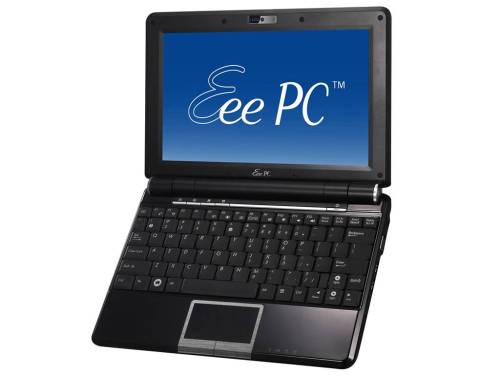
Upgrading your Eee PC 1000H to Windows 7? Read this

If you still have your old Eee PC 1000H and you wish to upgrade from XP to Microsoft’s latest and greatest operating system, Windows 7, then you must read Asus’s upgrade path first.
Basically, it involves a BIOS upgrade first, then installation of Windows 7, and then the drivers. Afterwards you get information on the Super Hybrid Engine and the Asus Update software.
[via]






November 21st, 2009 at 9:49 pm
I did the upgrade last week, before they added the tutorial and more drivers. It mostly worked. Yesterday I re-installed the drivers as per the tutorial and now everything works on my 1000HA. Mine dual boots to Linux so I had to re-install my grub loader to recover the mbr so I can still dual boot.
November 22nd, 2009 at 9:43 pm
And how is battery performance affected? I heard win7 sucks battery power a lot more than xp (30-40% less – which really is a problem for me). Have you experienced anything like this?
November 22nd, 2009 at 11:47 pm
I haven’t really used W7 enough to say one way or the other. I mostly use Ubuntu. I would think a lot has to do with your power management settings, whether you use Aero, etc.
April 17th, 2011 at 12:55 am
Simply true! I study it two times. While I am not as versatile on this issue, I match together with determinations simply they add. Provides Thank you and goodluck for you.
December 14th, 2011 at 7:30 pm
All said above it’s true but one thing I suspect few people know concerns to a bug in Asus Eee PC 1000H – It will never upgrade the bios version 2204 (wich is the one to upgrade to Windows 7). So, Asus Eee PC 1000H owners forget about upgrading to Windows 7.
December 17th, 2011 at 5:43 pm
I have a 1000HA and installed Win 7 Ultimate like a dream without a tutorial. Working just fine for a year now.
January 6th, 2012 at 1:32 pm
Hi guys, I have found the way to enable AHCI mode in BIOS to increase perfomance. There’s this modding community and they rock:
http://www.bios-mods.com/forum/Thread-Project-SHE-and-AHCI-BIOS-mod-for-ASUS-EeePC-1000H
The mod I’m using is based on the latest released from ASUS: ver 2209
Good luck!
January 6th, 2012 at 1:33 pm
gosh, I meant 2204
February 17th, 2012 at 1:53 pm
Just to clarify Floripa’s comment, it IS possible to upgrade the bios to version 2204 on the Asus Eee PC 1000H, by flashing it with a USB. (don’t do the Asus update through your OS, its buggy and can brick your Eee PC)
Firstly you need a 1GB or smaller USB (the bios will not recognise anything larger than 1GB, and you’ll forever be getting error messages and rather obnoxious beeping)
Reformat your USB to FAT or FAT16 format (FAT32 will not work). (Also, from my experience, bios upgrades work better if there is nothing on the USB but the bios update.)
Go to the Asus support website and download the DOS version of the 2204 update (not your OS). Which can be found here..
http://support.asus.com/Download.aspx?SLanguage=en&m=EEE%20PC%201000H/XP&p=20&os=
(Select DOS as your OS, navigate to the BIOS section, and download verions 2204)
Save the zip file to you USB, extract it and rename the extracted file “1000H.ROM” (then delete the original zip file)
Now reboot your Eee PC and spam Alt+F2 as it powers up (if you make it to the windows loading screen you were too slow, restart your machine and try again)
Your Eee PC will attempt to flash the bios from your USB. If you get the error “can’t find 1000H.ROM” make sure that:
1)Your USB is either 1GB or smaller and is in FAT or FAT16 format
2)That you renamed the file to “1000H.ROM”
3)That you downloaded the DOS version of the bios (Not your current operating system)
If the flash is successful, you Eee PC will reboot and load your new bios
If you followed this exactly congradulations, you’ve updated you bios to 2204