3G on the Asus Eee using an LG KU250 (Updated)

The LG KU250 is touted as the “3G for all” phone, being the cheapest 3G-enabled phone around. It usually retails for just over $100 (bought mine for about $142).

In my country 3G / GPRS rates are not really cheap, but one of the operators–Smart–offers unlimited connectivity for PhP 10 per 30 minutes. That’s approximately 48 cents per hour. That’s using a prepaid SIM card that costs less than a dollar to purchase.

That’s cheap enough for backup connectivity, i.e., when there’s no WiFi hotspot around, or when your home DSL or cable connection is down.

There is one other option–a Huawei 220 3G modem. Smart also offers a postpaid plan, which includes this device, for PhP 799 per month, plus an initial PhP 2,000 for the modem (about $20 per month, plus $48 initial for the modem). This is for 60 hours of connectivity. You pay an added PhP 10 per 30mins in excess, which is same as the prepaid rate.

However, I already bought myself an LG KU250 for this purpose a few months back, and I didn’t want to spend unnecessarily. Also, my 3G connectivity only serves as backup, and when I’m mobile. So no point in paying for a plan I might not be able to consume.

I wracked my brains trying to figure out how to connect the KU250 to the Eee via bluetooth. But that seems to be complicated on the default Xandros installation that comes with the Eee. BT is easy enough on Ubuntu, but not on Xandros, since various essential Bluez utilities are not pre-installed and/or incompatible and/or difficult to set up.

So I tried another option–connecting the KU250 with the supplied data cable. Following the instructions on this Eeeuser forum page, I was able to successfully connect over a 3G connection. Actually, I attempted this after I saw that Xandros detected the KU250 as a modem under Control Center. I was a bit surprised that this worked.

Read more

First time!

It’s my first time to bring my Asus Eee PC out of the house. I went for a quick cup of coffee at a nearby cafe with the wife and kids. So it’s a field test so to speak.

I got a couple of curious glances from other patrons and passers by. Looks like the Galaxy black Asus Eee PC has that wow factor!

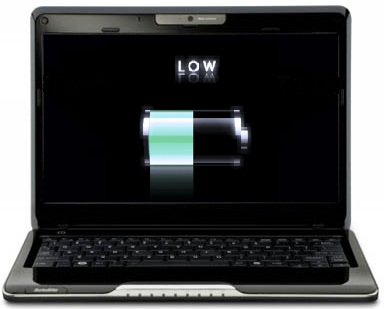
Can Solid State Drives Really Help Extend Battery Life?

Extending battery life has been the holy grail of mobile computing. But can solid state hard drives really help?

Recently, the trend is going towards solid-state storage. This means drives that have no moving parts. Most popular of these is flash memory. They’re cheap, durable, and can hold data even without power (unlike volatile RAM, which loses data when power is off). Since flash memory can allegedly reduce consumption caused by spinning hard drives, some manufacturers have switched to using solid state drives for their mobile computers. There are also flash-based hard drives meant for notebook computers that users can replace their existing drives with.

The Asus Eee MyPC sports a flash-based hard drive, instead of a conventional spinning one. One factor may be price (since a small flash drive is cheaper than a micro-sized hard drive with spinning parts). One may be power consumption.

However, a simple test done by ZDnet blogger Robin Harris has rendered results that may run counter to the argument that a solid-state drive helps extend batter life.

The maximum power difference between a flash drive and a 2.5″ disk is 3 watts. If you average about 3 hours battery life, a flash drive would save at most 9 watt hours (wh). That’s 29 minutes with a 55 wh battery. Less than 20 if it isn’t seeking constantly - and less than 10 minutes if the drive spends half its time in standby mode.

The biggest power sink in my notebook is the “everything else” that stays on when nothing is happening - 13 watts. Next is the CPU when it is busy. Then the display if you keep it above minimum brightness, the DVD/CD player and finally, just above Wi-Fi, a busy disk.

Flash drives have a real advantage in shock resistance over disks. But the performance is about the same as a disk, the power savings minimal and the cost disadvantage huge. They make the most sense for premium ultra-light notebooks with low power CPUs and small screens as well as hand-held devices.

I guess I must add that speed is one of the advantages of flash-based storage over a disc-based one. Still, I’d like to get more juice out of my Eee’s battery. Maybe when Asus releases a Pentium-M based Eee that would be better at saving power.



