One of the biggest concerns I had when switching from the default Linux installation to Windows XP on my Eee PC 701 is that I’m moving from a world of relative security by obscurity to an operating system targeted by virus makers and hackers from all over the world. I had to look for a free anti-virus software that will be light enough and will not spam me with ads to upgrade to the paid version.
For more than three years, Avast! has been my anti-virus of choice. What’s not to love about it? It’s free and it has an amazing detection rate. It doesn’t even muck up my system, unlike some users of Norton and McAfee that I encountered before.
However, as any longtime Avast! user knows, everytime it updates its virus database, we get a slowdown before we hear the notification “Your virus database has been updated.”
Okay, for netbooks running on limited resources (particularly the Eee PC 701 – which I own) this slowdown could mean crashes. And it has happened way too often for me.
Fed up after a bad day when all my apps just kept on crashing one after the other, I went ahead and downloaded Panda Cloud Antivirus. I’ve been pretty much apprehensive of cloud applications. Especially when it means you have to entrust your entire security to a cloud-based app.
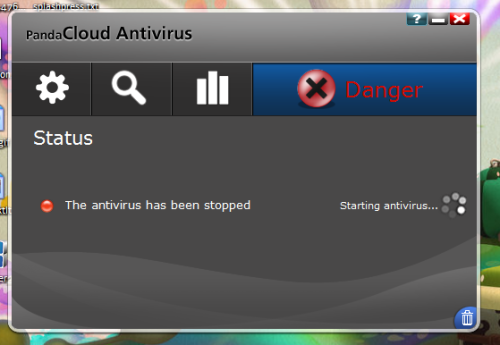
But I went and installed it anyway. The installation was pretty quick and painless, which was surprising for an anti-virus. The initial setup was pretty simple too: sign up for a Panda Cloud account, and log in to activate the anti-virus. There was a bit of a problem with the initial connection – it looked like Panda Cloud Antivirus took ages to connect (check out the screenshot on top) but somehow it was just a bug and the UI just didn’t refresh to display that it was already connected.
After a couple of hours testing this thing (doing scans, checking out my Panda account), my system was running way lighter than before. Now I haven’t done anything heavy duty yet. I’ll get to that in my next post. For now, all I can say is that I still won’t trust Panda Cloud Antivirus with my main system, but for netbooks it’s perfect.
A more in-depth review soon.



