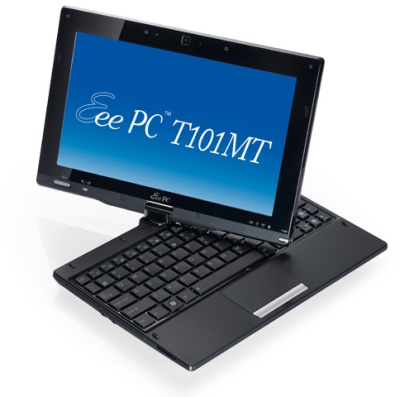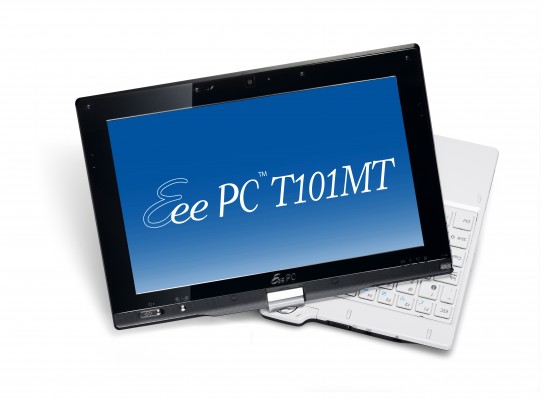
Asus Eee PC T101MT hands-on video

The folks at All Touch Tablet were able to get their hands on an Asus Eee PC T101MT – way before its release – and now they’re posting a video review of the thing.

A heads up for those who are thinking of buying this touch screen netbook: apparently it has disappointed quite a few people. According to Slashgear:

It’s also no performer, either, with opening windows sluggish, 480p YouTube video pushing CPU use to 100-percent, and a 10 to 15-percent CPU load even when the netbook is sitting idle. The touchscreen, meanwhile, shows a worrying lack of accuracy around the edges, which ironically is where ASUS’ own touch-menu shortcut resides. They’ve shot some hands-on video, which you can see below, but for €499 ($676) there seem a few too many compromises.

The T101MT has a 1.66GHz Intel Atom N450 Pine Trail CPU and GMA 3150 graphics. It also packs 2GB of RAM, a 320GB hard drive, 802.11b/g/n WiFi, and Windows 7 Home Premium. More »

Asus Eee PC 701 tablet mod

Since Eee PC 701s are already practically out of commission, the next best thing to do with these… classic netbooks would be to mod them into something else. Well, better than throwing them away, you can just mod your old Asus Eee PC 701 netbooks into a tablet computer. That’s right folks. The Eee PC 701 may have a minuscule screen, but apparently it works as a pretty decent tablet computer. And Windows XP looks pretty responsive as well.

Done by EeeUse Forum member mxjf, he shares his pretty awesome mod in this thread. According to mxjf:

The touchscreen is the $33 one from DX, and that IS electrical tape holding the thing together. I’m most likely going to sand/smooth the edges down and replace it with some black silicone sealant once I’m completely sure it’s good.

Check out the video below. the quality’s pretty bad, but you can see that Windows XP is pretty responsive and that the mod turned out pretty well:

[via]

Consumers don’t consider netbooks as laptop replacements
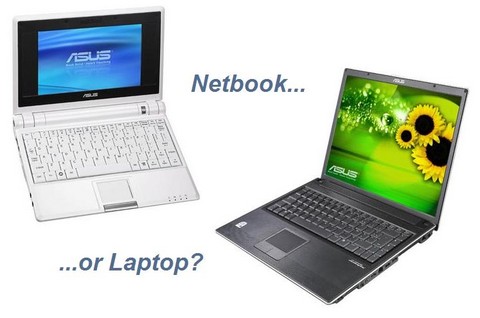
If you’re willing to sacrifice a bit of computing power for portability, I’m pretty sure you’re looking at netbooks like the Asus Eee PC as a replacement for your aging laptop. Now I’m wondering if you were able to get the netbook, or if you went ahead and got the full-featured laptop instead. You see, according to a survey by PriceGrabber.com, 55% of consumers think netbooks complements traditional laptops rather than replacing them. More »

Asus Eee PC T101MT will support SDXC

I’ve already talked about Asus’s Eee PC T101MT before, but I’ve only given you FCC pictures, and nothing much. Well, guess what. Pictures of the Asus Eee PC T101MT have surfaced, and this intrepid netbook looks pretty neat. Also, aside from it’s fascinating multitouch capabilities, it seems that the Asus Eee PC T101MT will also support SDXC card readers.

If you’re not aware, SDXC is the next generation of SD cards. They’re in so many ways better than SDHCs – and I’m actually satisfied with SDHCs already. You see, SDXC cards can support up to 2 terrabytes and have a 300MBps transfer rate!

Of course it’ll be a while before we see 2TB cards hit the market, but imagine the potential.

Asus is launching a “killer product” this June

I’m guessing Asus is starting to emulate the hype machine techniques of a certain computer company in Cupertino, because they’ve just released a mysterious announcement of a certain killer product that’ll be launched this June. And aside from hints of the aforementioned “killer product,” they haven’t said anything else about it. Way to build up a mystery, Asus. It’s working. More »

Troubleshoot your Eee PC with LookInMyPC

So let’s say you run into a bit of a problem with your beloved netbook and you can’t quite remember what are the specs of your Eee PC. You’d take a peek into your PC’s manual to find the specs, but the problem is that the manual’s nowhere to be found. What do you do?

Before you panic and/or rip out your computer’s guts just to figure out what exact model number your motherboard has, there’s actually an easier way to figure out your computer’s specs – both hardware and software. Just download and install LookInMyPC, a tool that generates a complete, comprehensive system profile that includes information on all installed hardware and software. More »

Asus Eee PC 1201T with AMD NEO

We know that there are like a million and one versions of the Eee PC already. In fact, they’re so darn confusing (with very little variations between versions) that even I tend to forget which iteration of the Eee PC is made up of what processor and other parts – and I’m the one writing on the Asus Eee PC-themed blog here.

Anyway, the Asus Eee PC 1201T is yet another seashell-themed netbook. It may sound like a bad thing, but believe me, we need Asus to manufacture more seashell Eee PCs. The main difference of the Eee PC 1201T from the other seashell netbooks is that the Eee PC 1201T has an AMD Neo MV-40 CPU and ATI Radeon HD 3200 graphics, as opposed to the usual Intel Atom processor-powered netbooks like the Eee PC 1201N, 1201HA, and 1201NL.

Does it actually perform well against its Intel Atom-powered brothers? Let’s see the review done by Yugatech, as recounted by Liliputing:

  • The Eee PC 1201T comes with the 64-bit version of Windows 7 Home Premium (most other models have the 32-bit version).
  • The computer has a Windows Experience Index of 3.1 (with the graphics notching the lowest score and the CPU weighing in at 3.2). By comparison, the Eee PC 1201N has an Index of 3.3, with a 4.3 graphics score, but a 3.3 for the CPU.
  • HD video appears to be a mixed bag, with the Eee PC 1201T playing 1080p HD video locally without a problem, but struggling with 720p and higher resolution Flash video.
  • Battery life was pretty sad, with the computer lasting about 2.5 hours with a 4400mAh battery.

Batterly life alone seems to be a dealbreaker. I’d rather stick with Intel Atom for now. What about you?

Macbook air clone runs OS X

Macbook air wannabees are probably a dime a dozen. Everytime I visit a computer shop, there seems to be another Macbook air knock-off that promises to be the thinnest and lightest computer I’ll ever use. Okay, then, good for you guys. But they’re all running Windows, so you know, it’s kind of a dealbreaker. I mean, if you’re going for a Macbook air clone, then you just have to go for the full experience, right?

This Chinese computer manufacturer created yet another Macbook air knockoff that not only inherits the original’s good looks, but it also has almost-identical packaging! M.C. Gadget says that the box is indistinguishable from the ones produced in Cupertino. Also, the packaging is really convincing. If it wasn’t made from plastic – instead of aluminum, like the original – it may even fool a lot of people. More »

Leeenux Linux hits version 2.0

If you’re on the lookout for a lightweight Linux installation that would be perfect for your Asus Eee PC – especially if you’re unluckily stuck with the really old Eee PC 701s – try Leeenux Linux. The weirdly-named lightweight Linux distribution is made mainly for Asus Eee PCs with 7″ screens, but that doesn’t mean that other netbooks can’t use it as well. The developer boasts that everything works out-of-the-box, and that every new release uses less resources than ever. The amazing thing about Leeenux is that when it’s installed, it only takes 1.2 GB of storage space, so if you have the 2GB surf models, you’re going to have some space left on your Eee PC. More »

Asus Eee Box EB1501 – unboxing video

We’ve all heard about the Asus Eee Box EB1501 before, but now there’s an unboxing video floating all around the net. You see, I’ve been looking for a great desktop computer that can replace my battered 7 year old machine, and it looks like the Eee Box EB1501 is a good contender. It’s got pretty good specs, and to top it off, it’s relatively cheap.

In case you don’t remember, the Asus Eee Box EB1501 is a tiny desktop computer that sports a dual core Atom 330 processor, NVIDIA ION graphics and a slot-loading disc drive. The specs of this nettop are: 2GB of RAM, a 250GB hard drive, 6 USB ports, HDMI, eSATA, and S/PDIF ports. The disc drive is a DVD burner. There are versions of the Asus Eee Box EB1501 that actually has a Bluray drive in place of the DVD drive. I’d like to get my hands on one of those.

More from Engadget:

With that fancy disc drive, NVIDIA Ion under the hood, and considerable aesthetic improvements, the Eee Box EB1501 has seemingly little to do with the Asus Eee Box of yore. So, is it as stunning in person as it is on paper? The folks at Blogeee.net have unwrapped the thing and stood it on its fancy metal stand, and they seem to be digging it — of course, their impressions are written in French, so we can never be entirely sure. Now if only Asus could work in an internal Blu-ray drive we’d be set!

Now you can watch the unboxing video below:

The Asus Eee Box EB1501 comes with Windows 7 Home Premium, and it costs around $479.

Resources

BlogHoster bLogics US Web Hosting viScript

Our Stats

EatonWeb Portal

Performancing Metrics


Splashpress Media